
Prometheus之node_exporter
或者  上传到/usr/local目录下 进行解压
cd /usr/local/
tar xf node_exporter-1.6.1.linux-amd64.tar.gz
rm -rf node_exporter-1.6.1.linux-amd64.tar.gz
mv node_exporter-1.6.1.linux-amd64/node_exporter bin/
ls /usr/local/bin/ |grep node_exporter

配置system
vim /usr/lib/systemd/system/node_exporter.service
[Unit]
Description=node_exporter
Documentation=https://prometheus.io/
After=network.target
[Service]
Type=simple
ExecStart=/usr/local/bin/node_exporter --web.listen-address=0.0.0.0:7776
User=root
Group=root
Restart=on-failure
[Install]
WantedBy=multi-user.target
#注释 –web.listen-address=0.0.0.0:7776 为用多少端口启动7776是我用的启动端口 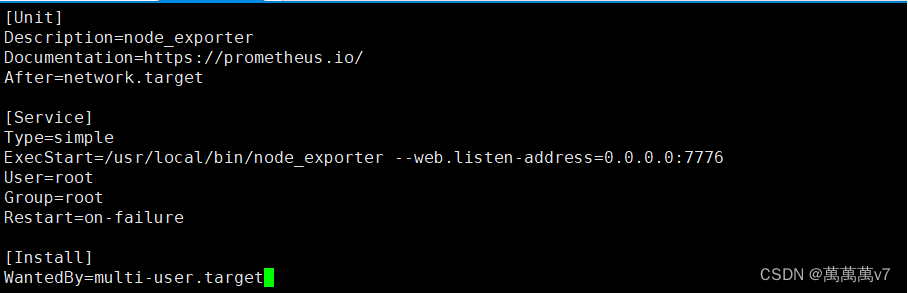
systemctl daemon-reload
启动node
systemctl  start node_exporter.service
systemctl  status node_exporter.service
#配置开机自启
systemctl enable node_exporter.service
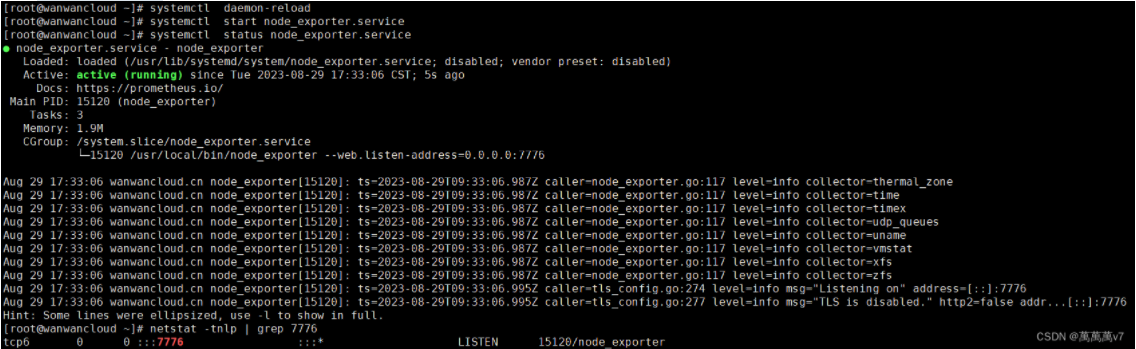 到这里node_exporter就部署完毕 相比容器部署虽然麻烦一点,但是容器部署的话有些数据是取不到的。 接下来在prometheus修改prometheus.yml 配置文件加入node节点并重启Prometheus即可
声明:本站所有文章,如无特殊说明或标注,均为本站原创发布。任何个人或组织,在未征得本站同意时,禁止复制、盗用、采集、发布本站内容到任何网站、书籍等各类媒体平台。如若本站内容侵犯了原著者的合法权益,可联系我们进行处理。

评论(0)